Big matches pull friends into one room, and chaos follows when the picture freezes, the sound lags, or a phone alert shouts a wicket before the TV shows it. The fix is a simple host plan that treats the room like a small venue – clear lines, a steady network, and one timing standard for every screen. This guide focuses on steps that hold up under pressure: how to place gear so the signal stays clean, how to prep logins without drama, and how to stop spoilers. The goal is calm energy from first ball to last over. With a little prep, the night runs smooth and the cheers come from what’s on the screen, not from beating an error code.
Room Layout And Network That Don’t Fight The Stream
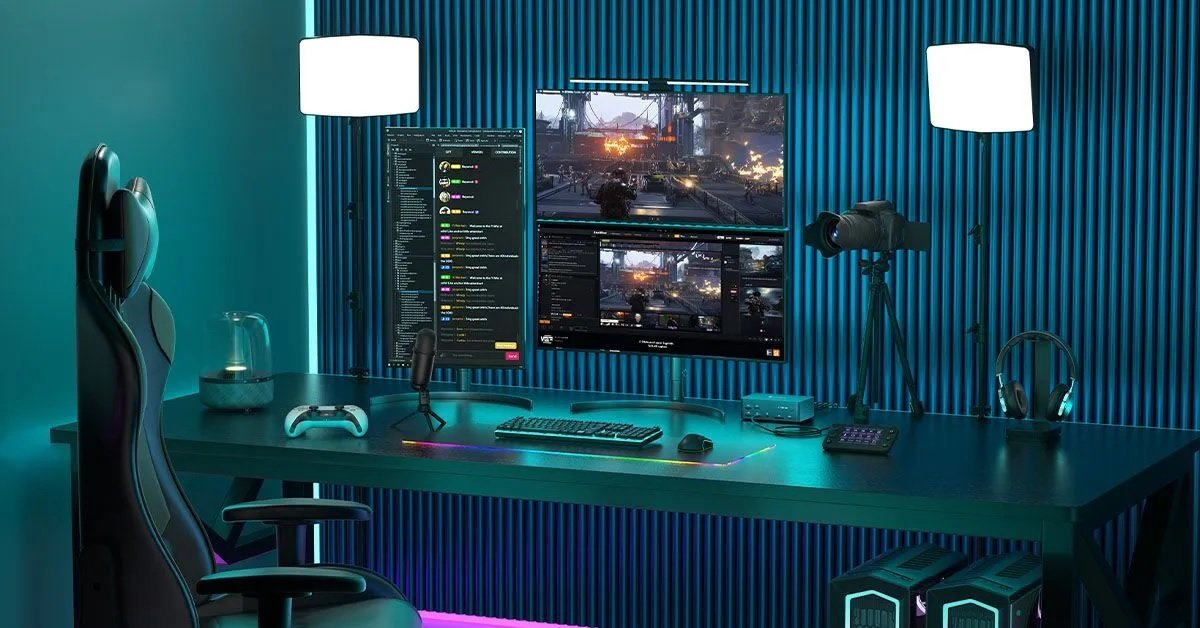
Start by placing the viewing screen where the router’s signal is stable and repeatable. Height helps because nearby objects absorb radio energy, so move the router a bit higher than table level and give it open space. If the TV is far from the router, one cable is better than a prayer – a short Ethernet run or a powerline pair will beat a shaky Wi-Fi hop when the house fills up. Keep the stream device on the 5 GHz band where possible, and nudge downloads, smart speakers, and cloud backups to 2.4 GHz. Heat makes devices throttle, so give the box or console airflow, remove tight covers, and keep the back vents clear. When guests bring extra phones, share a guest Wi-Fi so the main network stays tidy. A clean layout prevents the bursty slowdowns that ruin a perfect replay.
Finish account checks well before the doorbell rings. Confirm the watch app opens on the host device and that re-auth won’t pop up during the toss. If a login is needed, complete the desi slot step on the device that will carry the main screen, confirm the plan, and sign out of idle screens to avoid a “too many devices” lockout. Open the stream tile, set a fixed quality the room can hold, and turn off “auto” if it bounces. Mute score alerts on nearby phones for the match window, and park smartwatches in Theater mode to stop buzzes that pull eyes away. When every small gate is opened in advance, the first over feels like a start, not a setup.
Sync The Sound, Then The Score
People forgive a short buffer if the room breathes together. Sound sets that rhythm. Many soundbars add processing that delays audio, which turns a crisp edge into soft lip sync. Switch to a “game” or “pass-through” mode so the stream’s timing leads. If commentary trails the picture, pause the video for ten seconds, then play – most players hold a small buffer that lets audio catch up. Pick one screen as the reference clock and have phones, tablets, and the kitchen TV match that point by scrubbing back or pausing as needed. Kill push alerts from score apps for the session, or use Do Not Disturb and exclude sports apps from the allow-list. During tense chases, agree on one rule: eyes on the main screen, phones face down. Shared timing turns a room of gadgets into one audience.
One Clean Setup Checklist For Hosts
A short, reliable list beats a complex plan that no one remembers. Use this checklist to make match night steady without turning you into IT support. Each step is quick and aimed at the common failure points that show up when friends arrive hungry and the opener is already marking guard. Stick it on a note, repeat next time, and the setup turns into muscle memory while plates and jokes move around you.
- Move the router higher, clear the vents on the stream box, and place the TV where the signal path stays open.
- Split networks by load – stream box on 5 GHz, heavy downloads and smart gadgets on 2.4 GHz, guests on a separate SSID.
- Open the app, confirm the primary account, and keep one dedicated profile or browser for the stream with extensions turned off.
- Complete logins on the main device, check plan status, and sign out of idle screens so a limit won’t trip mid-innings.
- Set a fixed quality that fits the line, test audio with “game” or “pass-through” mode, and mute score alerts for the match window.
Social Posts That Land Without Spoilers
Clips and captions add fun to a watch party, yet they can ruin the mood if they jump ahead of the main screen. Build a gentle posting routine. Keep a small note with a few ready lines that match common beats – fast start, rain pause, tight finish. Use plain words, short breaks, and one emoji at the end if it fits the tone. When filming a quick clip, avoid the TV’s direct reflection and keep the mic away from the soundbar so audio stays clear. Post during natural pauses – between overs or after a replay – and then put the phone down so the room falls back into the game. If someone must track scores on a separate app, they can turn off push alerts and check the card only when asked. Control the timing, and the party’s flow stays smooth while feeds still get fresh moments.
A Simple Wrap-Up That Makes The Next Match Easier
After stumps, spend two minutes to lock in what worked. Did a seat suffer weak signal? Shift the router a little or plan a cable hop next time. Did audio drift after a long pause? Mark the soundbar mode that held sync. Was the login step slow? Keep the host device signed in and clear the cache a day before the next game. Note which guests bring heavy devices and park them on the guest network from the start. A small fix list builds a friendlier room with each fixture. The result is a watch party that feels tight, fair, and ready – the stream runs straight, the cheers are shared, and the last over brings a real roar instead of a chorus of reloads.
About the Author